AWS Lambda Now Supports GPUs: Instances, Pricing, Limits and How to Set It Up
AWS Lambda now runs GPU functions on Managed Instances with T4, A10G, L4 and L40S GPUs. Pricing, scale to zero, quotas, limits and setup.
Yes, AWS Lambda can now use GPUs. Since 18 November 2026, Lambda Event Functions can run on NVIDIA GPU instances (T4, A10G, L4 and L40S) through Lambda Managed Instances. You pay the EC2 On-Demand price for the instance, plus a 9.75% Lambda management fee and $0.20 per million requests. This is not the classic pay-per-millisecond Lambda: a GPU instance bills while it is running, so the new scale-to-zero setting decides whether you pay for idle GPUs.
Below: what launched, which GPUs you get, how the pricing works with worked estimates, the limits that will catch you out (the default GPU quota is 0), and a decision table for Lambda GPU vs. EC2, SageMaker AI and Bedrock.
What did AWS announce?
On 18 November 2026 AWS announced that Lambda now supports GPU-accelerated Event Functions on Lambda Managed Instances using EC2 G-series instances. AWS's Daniel Abib published a step-by-step walkthrough on the AWS News Blog the same day.
The key points, from AWS's announcement and developer guide:
- Lambda manages the GPU instances in your account: launching them, patching the OS and GPU drivers, health checks and scaling.
- Prebuilt base images ship with CUDA, PyTorch, CuPy and the vLLM and SGLang inference servers, already matched to the driver Lambda installs.
- Multi-concurrency: each execution environment handles several invocations at once (default 4, maximum 48).
- GPU-aware scaling on GPU utilization, CPU utilization and concurrency.
- Same triggers as any Lambda function: S3, SQS, API Gateway and the rest of the 200+ event sources.
- Regions: all AWS commercial Regions where both Lambda Managed Instances and EC2 G-series instances are available. AWS did not publish a separate Region list.
Two related Lambda launches landed the same week. On 17 November AWS added scale to zero for Lambda Managed Instances. On 18 November it added customer-managed runtimes, which let platform teams control runtime images centrally. Scale to zero matters most here, because it decides whether an idle GPU function costs anything.
Does AWS Lambda support GPUs now? A short history
For most of Lambda's life the answer was no. Lambda Managed Instances, which launched in late 2025, lets functions run on EC2 instances that Lambda manages in your account. It started with general-purpose CPU instances only. Japanese consultancy Classmethod even published a correction in December 2025 after testing: creating a capacity provider with g6.xlarge failed with "The specified instance type(s) g6.xlarge aren't supported for x86_64 architecture."
That changed on 18 November 2026. Standard Lambda functions (the ones that bill per millisecond and run on AWS's shared fleet) still have no GPU option. GPU support exists only on Lambda Managed Instances.
Which GPUs can Lambda use?
These are the supported families, according to the Lambda GPU documentation. Every size is supported except g4dn.metal.
| Instance family | GPU | GPU memory per execution environment |
|---|---|---|
| G4dn | NVIDIA T4 | 16 GB |
| G5 | NVIDIA A10G | 24 GB |
| G6 | NVIDIA L4 | 24 GB |
| Gr6 | NVIDIA L4 | 24 GB |
| G6e | NVIDIA L40S | 48 GB |
| G6f | NVIDIA L4 (fractional) | 3, 6 or 12 GB, depending on size |
| Gr6f | NVIDIA L4 (fractional) | 12 GB |
How GPUs are assigned:
- One GPU per execution environment. On a multi-GPU instance, Lambda runs one execution environment per GPU.
- Fractional GPUs (G6f, Gr6f) give each execution environment a slice of an L4 that looks like a full virtual GPU. That is the cheapest way in for small models.
- You set the VRAM you need with
AcceleratorMemorySize(valid values: 3, 6, 12, 16, 24 or 48 GB). It's a minimum: Lambda picks the newest-generation instance with the smallest GPU that fits, and may fall back to a bigger GPU if capacity is short.
There are no P-series (H100/H200/B200) or Trainium/Inferentia options. This is for inference and media work on mid-range GPUs, not for training large models.
How much does Lambda GPU cost?
The Lambda pricing page lists three charges for Lambda Managed Instances:
- The EC2 instance, at the normal On-Demand rate. Compute Savings Plans and Reserved Instances apply.
- A management fee on top of the On-Demand price: 9.75% for GPU G-series instances (15% for CPU instance types).
- $0.20 per million requests.
There is no per-millisecond duration charge. You pay for the instances while they run.
Worked estimates (our estimates, not AWS quotes)
AWS's pricing page doesn't include a GPU example, so we built one. The instance prices are US East (N. Virginia) Linux On-Demand rates as listed by Vantage's EC2 instance tracker on 19 November 2026. Check the AWS pricing calculator for your own Region. Request charges are left out.
| Scenario | Instance | On-Demand $/hr | + 9.75% fee | Hours/month | Estimated monthly cost |
|---|---|---|---|---|---|
| Always on (min 1 environment) | g6.2xlarge (L4) | $0.978 | $1.073 | 730 | ≈ $784 |
| Always on, older GPU | g4dn.xlarge (T4) | $0.526 | $0.577 | 730 | ≈ $421 |
| Scale to zero, busy ~4 h/day | g6.2xlarge (L4) | $0.978 | $1.073 | ~120 | ≈ $129 |
Estimates only. Real bills depend on Region, how many instances Lambda launches, how long instances take to shut down after going idle, Savings Plans, and data transfer.
The catch: GPU functions default to MinExecutionEnvironments = 1 (CPU Managed Instances default to 3), according to the limits table. If you deploy and walk away, one GPU instance keeps running, and billing, around the clock.
What are the limits?
| Limit | GPU functions | Other Managed Instances functions |
|---|---|---|
| Package type | Container image only | .zip or container image |
| Container image size | 32 GB | 10 GB |
| Largest single file in image | 10 GB | 10 GB |
| Ephemeral storage (/tmp) | 512 MB – 32,768 MB | 512 MB – 10,240 MB |
| Memory | 2,048 – 32,768 MB | 2,048 – 32,768 MB |
| GPU memory | 3 – 48 GB | n/a |
| Concurrency per environment | default 4, max 48 | varies by runtime |
| Default minimum environments | 1 | 3 |
Source: AWS Lambda developer guide.
According to the AWS News Blog post, GPU functions also support the extended Managed Instances timeout: up to 90 minutes for asynchronous and event source mapping invocations.
The quota that blocks most first deployments
GPU functions run on EC2 On-Demand instances in your account, so they count against the "Running On-Demand G and VT instances" EC2 quota. AWS says its default value is 0 vCPUs. Request an increase in the Service Quotas console before you deploy, or publishing the function version will fail. One g6.2xlarge uses 8 vCPUs.
How to set up a GPU Lambda function
AWS's process has four parts:
- Raise your G-instance quota (above). Approval isn't instant, so do this first.
- Create a GPU capacity provider. List only supported GPU instance types under
AllowedInstanceTypes, and give it your VPC subnets and a security group. You can cap spend withMaxVCpuCount. - Build a container image from one of Lambda's GPU base images in the ECR Public Gallery:
base:cuda,cupy:cuda,pytorch:cuda,vllm:cudaorsglang:cuda, all underpublic.ecr.aws/lambda/deep-learning-containers/. The vLLM image serves an OpenAI-compatible API; you choose the model with theMODEL_IDenvironment variable. - Create the function with
AcceleratorConfigset to the GPU memory you need, attach it to the capacity provider, and publish a version. Lambda launches the GPU instances, pulls your image and marks the versionACTIVE.
The AWS walkthrough runs these as CLI calls. Each JSON file holds the full configuration:
aws --region us-east-2 \
  lambda create-capacity-provider \
  --cli-input-json file://cli-skeletons/create-capacity-provider_gpu.json

aws --region us-east-2 \
  lambda create-function \
  --cli-input-json file://cli-skeletons/create-gpu-llm-function.json

aws --region us-east-2 \
  lambda publish-version \
  --function-name lmi-gpu-inference \
  --publish-to LATEST_PUBLISHED
How to turn on scale to zero
Set the minimum execution environments to 0 and the maximum above 0, using the command from the scaling guide. The guide's example uses 5 and 20; here the minimum is 0:
aws lambda put-function-scaling-config \
  --function-name my-lmi-function \
  --qualifier '$LATEST.PUBLISHED' \
  --function-scaling-config MinExecutionEnvironments=0,MaxExecutionEnvironments=20 \
  --region us-east-1
Three things the docs warn about:
- Set both values together. Any value you leave out resets to its default.
- Waking from zero is slow. The first invocation gets an HTTP 429 throttle while Lambda starts an environment, which "typically takes a few minutes". Make sure your callers retry with backoff. GPU functions loading large models will take longer.
- Background work stops scale-in. If your code keeps using CPU between invocations (polling loops, background threads), the last environment may never scale in.
What are developers saying?
The launch is a day old, so there's little community reaction yet. We found no Reddit or Hacker News discussion thread at the time of writing. The most detailed early account is a day-one write-up on DEV Community by AWS Community Builder "xbill". They served a 4-bit Gemma 4 E2B model with vLLM on a single g6.2xlarge (L4) in us-east-1. What they reported:
- Publishing a version to
Activetook 484 seconds the first time and 552 seconds on a republish. About 156 seconds of that was environment initialization (model load,torch.compile, vLLM engine start). - A 113-token reply came back in 0.63 seconds once warm.
- No streaming: "The reply arrives whole: Lambda returns the completion when it is finished, with no stream." So they couldn't measure time to first token.
- Gotchas: Docker 29's default OCI image index was rejected by
CreateFunction. Their boto3 version lackedAcceleratorConfig, so they used a newer AWS CLI. And the G-instance quota started at 0.
Their conclusion: Lambda is simpler for event-driven work because "Lambda starts it, loads the container, health-checks the server and routes every request". They'd still pick EC2 G6 directly when streaming or full server control matters. That's one developer's test, not a benchmark, but the cold-start numbers fit AWS's own "a few minutes" warning.
Questions developers are asking that AWS hasn't fully answered yet:
- Is there a per-Region list of supported GPU instance types, or do you have to try?
- Will response streaming come to GPU functions?
- Will larger GPUs (P-series) or AWS Inferentia be added?
Lambda GPU vs. EC2, SageMaker AI and Bedrock: which should you use?
This is our decision table. It is based on AWS's own guidance: AWS points foundation-model users to Bedrock and training or model-lifecycle work to SageMaker AI.
| If you need… | Best fit | Why |
|---|---|---|
| A hosted frontier model (Claude, Nova, Llama, etc.) by API | Amazon Bedrock | No GPUs to manage, pay per token |
| Training, fine-tuning, model registry, MLOps | SageMaker AI | Built for the model lifecycle |
| GPU work triggered by S3, SQS or API Gateway events (transcode, OCR, image models, small LLMs) | Lambda GPU | Lambda handles scaling, drivers and event wiring |
| Bursty or overnight batch GPU jobs | Lambda GPU + scale to zero | No idle GPU cost, if you can tolerate a slow start |
| Token streaming, custom servers, steady 24/7 load, full OS control | EC2 G-series directly | You avoid the 9.75% fee and get streaming |
| H100-class GPUs or multi-GPU models | EC2 P-series / SageMaker AI | Lambda tops out at one L40S (48 GB) per environment |
If you're weighing Lambda's other new compute options, see our explainers on Lambda microVMs on x86 and AWS Nitro Sandboxes.
Editor's take
This is the most practical "serverless GPU" offering AWS has shipped, but it isn't Lambda as most people know it. You're renting whole (or fractional) EC2 GPUs with Lambda managing them, and paying a 9.75% premium for that. The pitch works best for event-driven GPU work: an S3 upload kicks off a transcode, an SQS queue feeds an OCR model, a nightly batch runs a small LLM. These are jobs where you don't want to write autoscaling, driver patching and queue wiring yourself.
Three things to watch. First, the default minimum of one environment means a forgotten test function costs hundreds of dollars a month, so set scale to zero on anything non-production. Second, cold starts from zero are measured in minutes, not milliseconds, so this is not a fix for latency-sensitive chat. Third, the lack of streaming rules it out as a drop-in for a ChatGPT-style interface for now. If you're running heavy holiday-season workloads (Amazon's own Black Friday Week starts today), scheduled scaling plus scale to zero is the pattern to try first. Expect more Lambda news at re:Invent 2026.
FAQ
Does AWS Lambda support GPU?
Yes, since 18 November 2026, but only for Event Functions running on Lambda Managed Instances. Standard Lambda functions on the shared fleet still have no GPU.
What GPUs does AWS Lambda support?
NVIDIA T4 (G4dn), A10G (G5), L4 (G6, Gr6, plus fractional G6f and Gr6f) and L40S (G6e). Each execution environment gets one GPU or one GPU fraction, with 3 to 48 GB of GPU memory.
How much does AWS Lambda GPU cost?
The EC2 On-Demand price of the GPU instance, plus a 9.75% management fee, plus $0.20 per million requests. By our estimate, an always-on g6.2xlarge works out to roughly $784 a month in US East before request charges.
Does Lambda GPU scale to zero?
Yes. Set MinExecutionEnvironments to 0 and MaxExecutionEnvironments above 0. GPU functions default to a minimum of 1, so scale to zero isn't on unless you set it. The first request after an idle period is throttled (HTTP 429) for a few minutes while an environment starts.
Why does my Lambda GPU function fail to deploy?
The most common cause is the EC2 quota "Running On-Demand G and VT instances", which defaults to 0 vCPUs. Request an increase first. Also check that your capacity provider includes an instance type with at least as much GPU memory as your AcceleratorMemorySize.
Can I run an LLM on AWS Lambda?
Yes. Small-to-mid-size models fit, using the vllm:cuda or sglang:cuda base images and up to 48 GB of GPU memory on an L40S. Responses aren't streamed, though, and big frontier models are better served by Amazon Bedrock.
Is Lambda GPU available in my Region?
AWS says it's available in all commercial Regions where Lambda Managed Instances and EC2 G-series instances are both available. Check that your Region offers the specific G-series family you plan to list.
What's the maximum timeout for a Lambda GPU function?
According to AWS, up to 90 minutes for asynchronous and event source mapping invocations on Lambda Managed Instances.
Sources
- AWS What's New, Lambda GPU on Lambda Managed Instances (18 Nov 2026): https://aws.amazon.com/about-aws/whats-new/2026/11/aws-lambda-gpu-managed-instances/
- AWS News Blog, Daniel Abib (18 Nov 2026): https://aws.amazon.com/blogs/aws/aws-lambda-now-supports-gpu-instances-for-event-functions-on-lambda-managed-instances/
- AWS Lambda developer guide, GPU-accelerated Event Functions: https://docs.aws.amazon.com/lambda/latest/dg/lambda-managed-instances-gpu.html
- AWS Lambda developer guide, GPU base images: https://docs.aws.amazon.com/lambda/latest/dg/lambda-managed-instances-gpu-base-images.html
- AWS Lambda developer guide, scaling Lambda Managed Instances: https://docs.aws.amazon.com/lambda/latest/dg/lambda-managed-instances-scaling.html
- AWS What's New, scale to zero for Lambda Managed Instances (17 Nov 2026): https://aws.amazon.com/about-aws/whats-new/2026/11/aws-lambda-managed-instances-scale-to-zero/
- AWS What's New, customer-managed runtimes (18 Nov 2026): https://aws.amazon.com/about-aws/whats-new/2026/11/aws-lambda-customer-managed-runtimes/
- AWS Lambda pricing: https://aws.amazon.com/lambda/pricing/
- AWS What's New, Lambda Managed Instances launch (2025): https://aws.amazon.com/about-aws/whats-new/2025/11/aws-lambda-managed-instances/
- Classmethod, GPU correction (Dec 2025): https://dev.classmethod.jp/articles/lambda-managed-instances-gpu-2025-12-9/
- DEV Community, Gemma 4 on Lambda with a GPU: https://dev.to/aws-builders/gemma-4-on-aws-lambda-with-a-gpu-e2b-on-an-nvidia-l4-day-one-4ej
- Vantage EC2 instance prices: https://instances.vantage.sh/aws/ec2/g6.2xlarge, https://instances.vantage.sh/aws/ec2/g4dn.xlarge
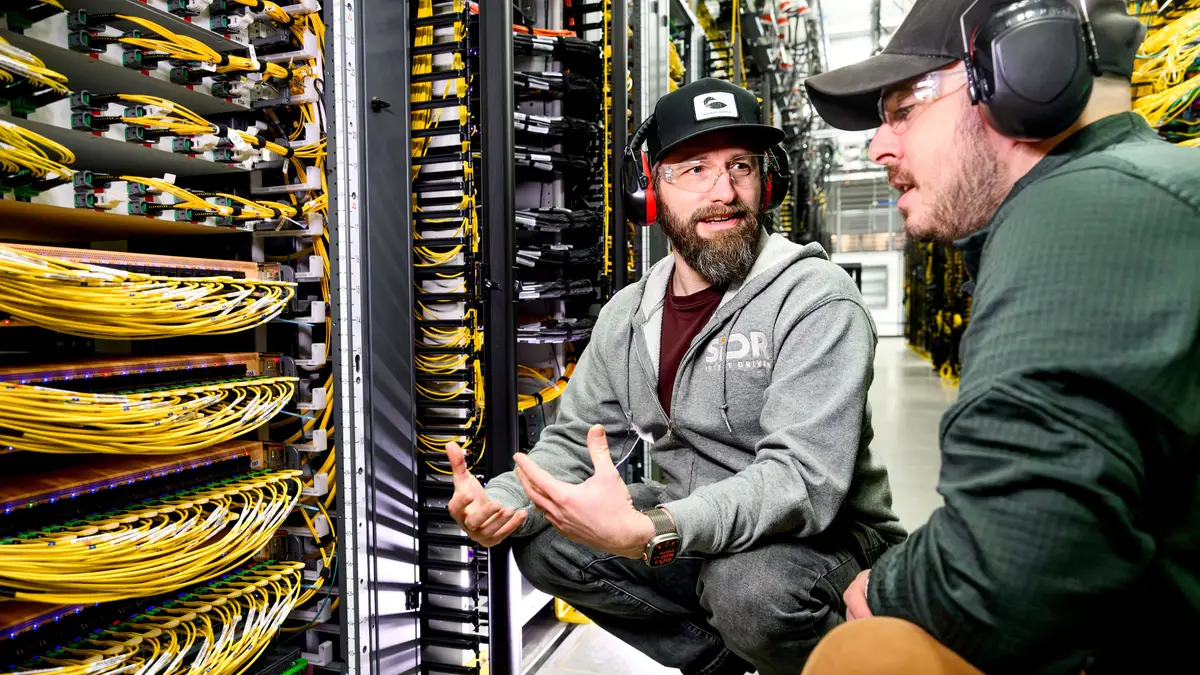
Featured image: Amazon employees working inside an AWS data center (an Amazon press photo, not specifically a GPU server). Source