Alexa+ Agentic Ads Explained: How You Buy Inside an Alexa Conversation
Alexa+ Agentic Ads let Echo Show users buy inside a conversation. How they work, which countries, how to PIN-lock voice buys, and what advertisers get.
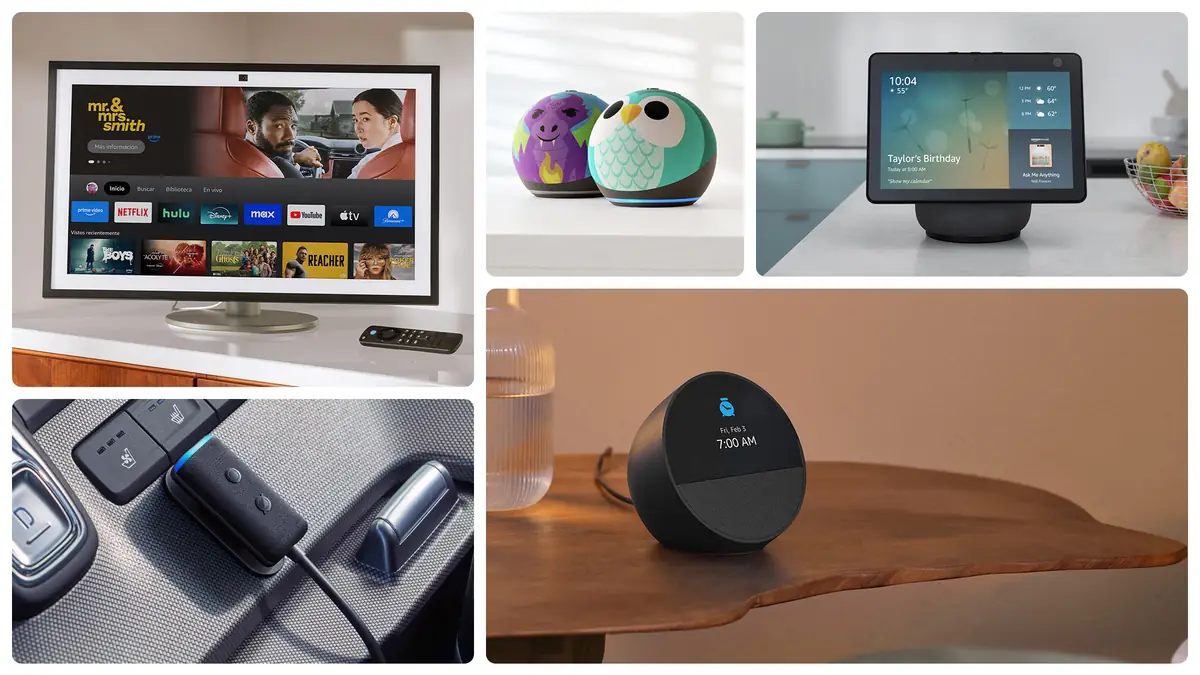
Short answer: Alexa+ Agentic Ads are a sponsored format from Amazon Ads that lets you go from hearing or seeing an ad on an Echo Show to finishing the purchase inside the same Alexa+ conversation. You don't need to open an app or a website. Amazon announced the format on 23 June 2026, timed to the start of Prime Day. The launch partners were Papa Johns for pizza orders and concert tickets for Beck, Jill Scott and Omar Courtz, sold through Ticketmaster. Amazon's announcement names only Echo Show devices. Like the rest of Amazon's Alexa+ ad formats, it appears to be US-only for now; Amazon hasn't named any other country.
Below is what it means if you own an Echo, and what it means if you sell or advertise on Amazon.
What are Alexa+ Agentic Ads?
Amazon's own description calls this the first ad format that takes a customer from seeing an ad to completing a purchase within the Alexa+ conversation, without leaving the ad. "Agentic" means Alexa acts for you: it can place the order on your behalf instead of sending you to a checkout page.
Amazon's launch examples:
- Papa Johns: Alexa uses what it remembers from past conversations, such as your favourite toppings, and offers to order a large pepperoni pizza.
- Concert tickets: ads for upcoming Beck, Jill Scott and Omar Courtz shows, with tickets delivered to your Ticketmaster account.
Amazon says it will add more brands and services later. It hasn't said which ones or when.
| Detail | What Amazon has published |
|---|---|
| Announced | 23 June 2026 (Prime Day start) |
| Devices | Echo Show (the announcement names no other devices) |
| Countries | Not stated. Every related Alexa+ ad page we found lists the United States only |
| Launch partners | Papa Johns (food); Beck, Jill Scott, Omar Courtz (tickets via Ticketmaster) |
| Pricing for advertisers | Not disclosed |
| Ad label wording | Not described in Amazon's announcement |
If Alexa+ is new to you, start with our Alexa+ explainer: features, price and availability.
What you'll hear vs what's happening behind it
The table below follows Amazon's pizza example. The right-hand column is our reading of how these systems normally work, based on Amazon's own descriptions. It isn't a leaked spec.
| What you see or hear on your Echo Show | What's happening behind it |
|---|---|
| A suggestion such as a pizza for tonight, or tickets for an artist you like | A brand has paid Amazon Ads to appear in the Alexa+ experience |
| "Would you like me to order your usual large pepperoni?" | Alexa+ uses memory from your past conversations to personalise the offer, which Amazon highlights in its own example |
| You say yes, or tap | Alexa places the order with the partner (Papa Johns or Ticketmaster) using your linked account and payment |
| A confirmation | Your order goes into the partner's system. Tickets land in your Ticketmaster account |
| Nothing more on screen | The advertiser gets closed-loop measurement from Amazon, which Amazon says tracks impressions through to conversions |
Can Alexa buy things without asking?
No. Nothing Amazon has published says Alexa will buy anything you haven't agreed to. Agentic Ads still need you to say yes in the conversation. What Amazon hasn't published is the exact confirmation step for this format. We don't know whether Alexa reads back the price, or whether your voice purchasing PIN applies to third-party orders like Papa Johns. Until Amazon documents that, the safest assumption is that your Alexa voice purchasing settings are your main safety net. Lock them down if other people, especially children, use your Echo.
How to turn off Alexa voice purchasing (or add a PIN)
Amazon manages voice purchasing in the Alexa app. Menu names vary a little between app versions, so treat this as a guide:
- Open the Alexa app and tap More, then Settings.
- Go to Account Settings, then Voice Purchasing.
- To block voice purchases completely, switch Voice Purchasing off. You can still add items to your cart by voice, but you have to check out in the Amazon app or website.
- To keep voice purchasing with a lock, open Purchase Confirmation and choose Manage. Then turn on Voice Code and set a four-digit PIN. Alexa will ask for it before buying.
- Alternatively, choose Recognized Voices under Purchase Confirmation so that only enrolled voice profiles can buy. This isn't foolproof, so pair it with a PIN.
- For children, set up Amazon Kids on their device, which blocks purchases by default.
Tip: a PIN only works if nobody overhears it. Change it if your children have learned it. Strong sign-in on the account itself helps too; see our Amazon passkey setup guide.
How do I know it's an ad?
Amazon's announcement for Agentic Ads doesn't describe a "Sponsored" label or a spoken disclosure. Its earlier Alexa+ ad formats run as display placements on the Echo Show screen. If a suggestion arrives that you didn't ask for, especially from a named brand with a ready-made order, assume it's paid placement. If you see the format, take a screenshot of how it's labelled. We'll update this article when Amazon documents the disclosure.
Privacy: what does the ad know about you?
Amazon's own example depends on Alexa remembering your past conversations ("your favourite pizza toppings"). That personalisation is the whole pitch. Amazon hasn't said what data, if any, the advertiser receives. Its ads materials talk about measurement from impressions to conversions, which suggests advertisers get aggregated results rather than your identity, but Amazon hasn't spelled that out for this format. To limit what Alexa keeps, review your voice history and privacy settings in the Alexa app (Settings > Alexa Privacy).
The earlier format: conversational entertainment ads on Alexa+
Agentic Ads aren't Amazon's first ads inside Alexa+:
| Date | Format | Who could buy |
|---|---|---|
| Oct 2025 (test) | Conversational Entertainment Ads: a display ad on Echo Show shown next to organic results when you ask about films or TV, such as a Prime Video Channel tile | Managed-service advertisers, US |
| 7 Apr 2026 | Expanded to Prime Video Sponsored Tiles, with Alexa added as an inventory source | Managed-service, US |
| 11 Jun 2026 | Sponsored ads in Alexa for Shopping, Sponsored Products/Brands prompts, Alexa+ Conversational Ads (audio and static) | Existing sponsored-ads advertisers, enrolled automatically |
| 17 Jun 2026 | Self-service access to Alexa conversational entertainment ads via Sponsored Tiles | Self-service advertisers, US |
| 23 Jun 2026 | Alexa+ Agentic Ads (purchase inside the conversation) | Launch partners only |
With the entertainment ads, you can subscribe to a Prime Video Channel or buy or rent a title by voice or touch. That is also a purchase made in conversation, but it stays inside Amazon's own store.
For advertisers and Amazon sellers: how to get access
Here is what Amazon has documented. There isn't much yet.
- Agentic Ads: no self-serve sign-up has been published. The launch was limited to named partners, with "more brands and services" promised. Ask your Amazon Ads account team.
- Alexa+ Conversational Ads and Alexa for Shopping placements: Amazon says advertisers with sponsored-ads campaigns are enrolled automatically, with no extra setup.
- Entertainment ads on Echo Show: buy through Amazon DSP as Sponsored Tiles, with Alexa selected as an inventory source. Self-service access has been available since 17 June 2026, US only.
- Measurement: Amazon says its closed-loop measurement, from impressions to conversions, applies to its agentic offerings. It hasn't published Agentic Ads benchmarks, completion rates or pricing. ContentGrip noted that "Amazon has not disclosed pricing for the agentic format."
- Tools: Amazon also offers Creative Agent, Ads Agent and an Amazon MCP server that connects AI agents to the Amazon Ads API.
Reactions so far
We looked for independent reactions and found very little. Trade coverage, including ContentGrip and eMarketer, mostly restated Amazon's announcement. ContentGrip noted that pricing hadn't been disclosed. We found no attributable quotes from analysts, and no Reddit threads from Echo owners who had actually seen one of these ads. We won't invent reactions. If you've seen the format, tell us.
Editor's take: trust is the product
Opinion. Lov Singh, Editor-in-Chief.
Ads in a search box are something you scroll past. An ad in an assistant speaks to you, uses what you've told it, and then offers to do the buying for you. That's convenient, and also a real change in who you're trusting. When Alexa suggests "your usual pepperoni", it should be obvious whether that's helpful memory or a paid placement, and right now Amazon hasn't publicly described the label. I'd want three things before this goes wider or reaches other countries: a clear spoken and on-screen "sponsored" disclosure, the price read back before every agentic purchase, and a plain switch to turn off sponsored suggestions without turning off Alexa+. Until then, set a voice PIN. If you're choosing hardware, our Echo lineup comparison and Alexa tablet guide note which devices have the screens these ads need.
FAQ
What are Alexa+ Agentic Ads?
A sponsored format on Echo Show where Alexa+ can complete a purchase for you inside the conversation, such as a Papa Johns order or concert tickets, without sending you to a website.
When did Alexa+ Agentic Ads launch?
Amazon Ads announced them on 23 June 2026, at the start of Prime Day.
Which countries get Alexa+ Agentic Ads?
Amazon hasn't named any countries. Its related Alexa+ ad formats are documented for the United States only, so outside the US you shouldn't expect to see them yet.
Which devices show them?
Echo Show devices, according to Amazon. No other devices are named.
Can Alexa buy things without asking?
Amazon says the purchase happens within the conversation, which means you have to agree to it. To be safe, add a voice code or turn off voice purchasing in the Alexa app.
How do I turn off Alexa voice purchasing?
In the Alexa app, go to More > Settings > Account Settings > Voice Purchasing and switch it off, or set a four-digit Voice Code under Purchase Confirmation.
Can I opt out of ads on Alexa+?
Amazon hasn't documented a specific opt-out for Agentic Ads. Turning off voice purchasing stops voice checkout but may not stop the suggestions themselves.
How can brands buy Alexa+ Agentic Ads?
There's no published self-serve route yet. The launch used selected partners. Other Alexa+ placements are open to sponsored-ads advertisers automatically, and to DSP Sponsored Tiles buyers.
Sources
- Amazon Ads, Alexa+ Agentic Ads announcement: https://advertising.amazon.com/library/news/alexa-agentic-ads
- Amazon Ads, agentic shopping advertising (11 June 2026): https://advertising.amazon.com/library/news/agentic-shopping-advertising
- Amazon Ads, Conversational Entertainment Ads test: https://advertising.amazon.com/resources/whats-new/conversational-entertainment-ads
- Amazon Ads, Conversational entertainment ads on Alexa+ (April 2026): https://advertising.amazon.com/resources/whats-new/conversational-entertainment-ads-on-alexa-plus
- Amazon Ads, Self-service conversational entertainment ads (17 June 2026): https://advertising.amazon.com/resources/whats-new/self-service-conversational-entertainment-ads-on-alexa-plus
- ContentGrip, Alexa+ Agentic Ads coverage: https://www.contentgrip.com/alexa-agentic-ads/
- Voice purchasing steps, cross-checked: https://www.technipages.com/alexa-disable-voice-purchases and https://maketecheasier.com/smart-home/avoid-accidental-voice-purchasing-with-amazon-alexa
Featured image: Amazon. Source
