Amazon Quick Is Now AWS Quick: What Changed, Pricing Plans and QuickSight Explained
Amazon Quick is now AWS Quick. What changed, what didn't, plan prices from $0 to $40 per user plus fees, and how AWS Quick Sight relates to QuickSight.
Short answer: Amazon Quick, AWS's AI workspace for work, has been renamed AWS Quick. Its business-intelligence part, Amazon Quick Sight (the product most people still call QuickSight), is now AWS Quick Sight. AWS announced the change on 9 November 2026. Existing customers don't need to do anything: dashboards, data, settings and pricing stay the same.
What is new is how AWS sells it. This guide explains the rename, the current plans and prices (from $0 to $40 per user per month plus fees), how Quick relates to old QuickSight, and who should actually consider it.
What is AWS Quick?
AWS Quick is an AI workspace where "teams use AI agents to research, analyze, and act across their existing data and applications." AWS stresses that it "has no consumer version" and was built for work from the start (AWS Machine Learning Blog).
On the product page, AWS lists these capabilities (aws.amazon.com/quick):
- My Assistant and Chat: an AI assistant for everyday work.
- Deliverables: documents, sheets, decks, apps, images and dashboards.
- Research: reports built from your documents, data and the web.
- Custom apps: built from a prompt and shared with your team.
- Flows: automation for repetitive tasks.
- Shared Spaces: team knowledge, agents and automations in one place.
- Dashboards and data visualisation: the Quick Sight BI layer.
- Integrations: Jira, Box, Canva, HubSpot, Notion, QuickBooks, Salesforce, Shopify, Slack, Smartsheet, Zoom, email, and Microsoft 365 via an extension.
It runs on the web, as a desktop app for macOS and Windows, and through browser and Microsoft 365 extensions. The desktop app is on the Plus, Professional and Enterprise plans, not Free (AWS Quick FAQ).
Why did Amazon rename Quick to AWS Quick?
AWS's official line is that the new name "reflects the enterprise security and governance built into Quick from the start as an AWS service" (AWS What's New).
The rename also arrives with Quick's first brand campaign. AWS says it runs in the US and UK across streaming TV, online video, social media and business publications (AWS blog). Adweek reports that the campaign line is "built for the job" and that placements include elevator screens and the Las Vegas Sphere (Adweek).
Our read (opinion, not an AWS statement): putting "AWS" in the name ties Quick to the cloud brand that IT and security buyers already trust. That helps when the competition is AI workspaces from Microsoft, Google and OpenAI. It also follows a wider naming clean-up at AWS. On 8 November we covered Amazon Q Developer becoming AWS Assistant.
What changes and what stays the same?
| What happens | Source | |
|---|---|---|
| Product name | Amazon Quick becomes AWS Quick | AWS What's New |
| BI capability | Amazon Quick Sight becomes AWS Quick Sight | AWS What's New |
| Where you'll see it | Quick website, web/desktop/mobile apps, AWS documentation | AWS What's New |
| Dashboards, datasets, analyses | Unchanged | AWS What's New |
| Quick Sight data, settings, pricing | Unchanged | AWS What's New |
| Compliance | Still HIPAA eligible; FedRAMP, SOC 2, ISO 27001 | AWS What's New |
| Customer action required | None | AWS What's New |
| APIs, SDKs, console URLs | Not addressed in the announcement | — |
AWS's announcement says nothing about API names, SDK namespaces or console paths. Our assumption, not something AWS has confirmed, is that existing integrations keep working, as they did when QuickSight became Quick Suite in 2025. If you have automation that calls the QuickSight APIs, check the release notes rather than assuming.
Is AWS Quick the same as QuickSight?
Not anymore. Quick contains QuickSight. Here's how the naming has changed:
| Date | Change |
|---|---|
| 9 Oct 2025 | QuickSight evolves into Amazon Quick Suite. All QuickSight customers see the new UI and branding, and new sections such as Quick Research, Quick Flows and Quick Automate appear (AWS BI Blog) |
| 28 Apr 2026 | Rebranded Amazon Quick adds Free and Plus plans. Anyone can sign up with an email, Google, Apple, GitHub or Amazon login, with "no AWS account required" (AWS What's New) |
| 9 Nov 2026 | Renamed AWS Quick; Quick Sight becomes AWS Quick Sight (AWS What's New) |
If you only use dashboards, nothing changes for you. If you're an admin, the pricing page notes that BI Reader licences are upgraded to the Essentials plan, and BI Author licences to Enterprise until 31 March 2027 (AWS Quick pricing).
How much does AWS Quick cost?
These are AWS's published US-dollar prices as of 10 November 2026, per user per month (AWS Quick pricing):
For individuals and small teams (no AWS account needed):
| Plan | Price | Users | Pooled index storage |
|---|---|---|---|
| Free | $0 | 1 | 1 GB |
| Plus | $20 billed annually / $25 monthly | Up to 300 | 10 GB per user |
| Max | $100 billed annually / $125 monthly | Up to 300 | 50 GB per user; "5x more usage" than Plus |
For organisations (set up through an AWS account), each plus a $250 per-account monthly infrastructure fee:
| Plan | Price | Agent hours per user per month | Pooled index storage |
|---|---|---|---|
| Essentials | $3 | 1 (3 until 31 January 2027) | 1 GB per user |
| Professional | $20 | 8 | 25 GB per user |
| Enterprise | $40 | 18 | 50 GB per user |
Extras: extra agent hours are $3 each, metered per second. Index storage beyond your pool is $5 per GB per month. The Quick Sight add-ons are SPICE at $0.38 per GB per month and Pixel-Perfect Reports at $1 per report unit (500-unit monthly minimum).
Free trials: new sign-ups get a 30-day Plus trial (FAQ). Organisations can trial Enterprise free for 30 days for up to 25 users, with the subscription and $250 fee waived and no credit card needed. After that, accounts are billed for Enterprise (pricing).
A discrepancy to know about: the FAQ says Quick "offers four plans—Free, Plus, Professional, and Enterprise," but the pricing page also lists Max and Essentials. We've used the pricing page above because it's the one that sets what you pay.
Example: what would a 20-person team pay?
Estimate, using list prices: 20 users on Professional = 20 × $20 + $250 = $650 per month, before any agent-hour or storage overages. The same 20 people on Plus (annual) would be 20 × $20 = $400 per month with no infrastructure fee, but without Quick Sight, Quick Automate, AWS data-source connections or advanced governance. The FAQ says those come only with Professional and Enterprise.
Which AWS Quick plan should you choose?
| If you… | Consider |
|---|---|
| Want to try an AI work assistant alone, at no cost | Free |
| Are a freelancer or small team wanting the desktop app and more usage, without an AWS account | Plus |
| Run long agent research tasks daily | Max, or watch overages on Plus |
| Mainly need to give many staff read-only dashboards | Essentials (where former BI Readers land) |
| Need Quick Sight authoring, automation and AWS data sources | Professional |
| Need the most agent hours, governance and SSO at scale | Enterprise |
Is AWS Quick safe for company data?
AWS makes several specific claims. It integrates with Microsoft Purview, AWS IAM and Active Directory; it reads existing sensitivity labels and enforces existing permissions; IT admins "cannot access chat transcripts"; and every sharing approval or denial "is recorded with who decided, what they shared, and why" (AWS blog). The FAQ adds that "AWS does not use your data to train models in any AWS Quick plan—free or paid" (FAQ).
AWS names 3M, BMW, Mondelez, New York Life and Southwest Airlines as customers. The product page carries quotes from executives at Vertiv, DXC, 3M and Jabil (aws.amazon.com/quick). These are vendor statements; we haven't seen independent audits beyond the listed certifications.
What are users saying?
The rename is a day old and we haven't found substantial community discussion of it yet, so we have no reactions to quote. Based on search suggestions, the questions people are asking are "AWS Quick vs QuickSight", "AWS Quick pricing", "AWS Quick desktop" and "AWS Quick Suite". The FAQ below covers each.
Editor's take
This is a rename, not a relaunch. If you run Quick Sight dashboards, nothing breaks and nothing costs more. The bigger story is the strategy behind it: AWS is now advertising an AI workspace to knowledge workers in the US and UK. It's pitched on the same "your data never trains someone else's model" promise AWS makes for Bedrock, where it just added Claude Fable 5.2. For a small team, the $20 Plus plan with no AWS account is an easy experiment. For larger organisations, the $250-per-account fee and metered agent hours mean you should model costs before rolling Quick out to everyone. New to AWS's product sprawl? Start with our plain-English AWS explainer.
FAQ
Why was Amazon Quick renamed AWS Quick?
AWS says the name reflects the enterprise security and governance built into Quick as an AWS service. The rename launched on 9 November 2026 alongside Quick's first brand campaign.
Is AWS Quick the same as QuickSight?
No. QuickSight is now AWS Quick Sight, the BI capability inside AWS Quick. Quick adds AI chat, research, agents, flows and apps on top.
Do I need to do anything after the AWS Quick rename?
No. AWS says existing customers don't need to take any action, and Quick Sight dashboards, data, settings and pricing are unchanged.
How much does AWS Quick cost?
Free is $0. Plus is $20 per user per month (annual) or $25 (monthly), and Max is $100 or $125. For organisations, Essentials is $3, Professional $20 and Enterprise $40 per user per month, each plus a $250 per-account monthly infrastructure fee.
Is there an AWS Quick free trial?
Yes. New sign-ups get 30 days of Plus. Organisations can trial Enterprise free for 30 days for up to 25 users, with no credit card required.
Do I need an AWS account to use AWS Quick?
Not for Free or Plus: you can sign up with an email or a Google, Apple, GitHub or Amazon login. Professional and Enterprise are set up through the AWS Console.
Is there an AWS Quick desktop app?
Yes, for macOS and Windows, on the Plus, Professional and Enterprise plans.
Does AWS Quick use my data to train AI models?
AWS says it does not use your data to train models on any Quick plan, free or paid.
Sources
- AWS What's New: Amazon Quick is now AWS Quick (9 Nov 2026)
- AWS Machine Learning Blog: Meet AWS Quick
- AWS Quick product page
- AWS Quick pricing
- AWS Quick FAQ
- AWS What's New: Free and Plus plans (28 Apr 2026)
- AWS Business Intelligence Blog: QuickSight evolves to Amazon Quick Suite (9 Oct 2025)
- Adweek: Amazon's AI workspace tool gets its first ad campaign
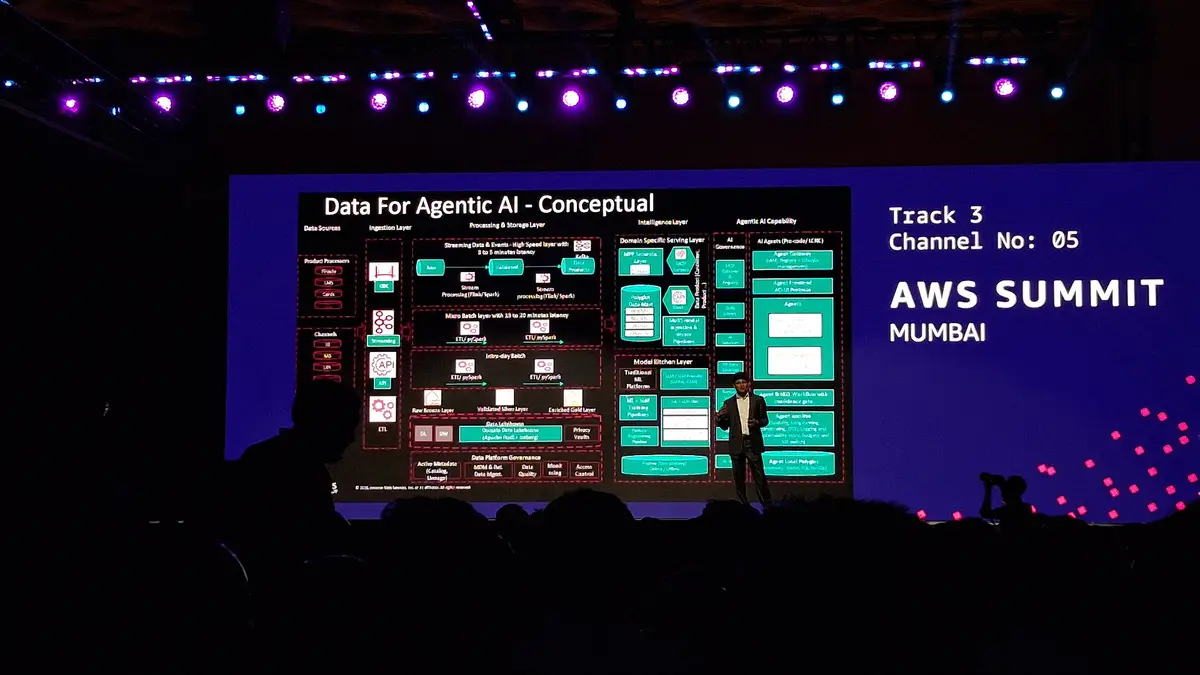
Featured image: an agentic AI session at AWS Summit Mumbai 2026 (an AWS event photo, not an AWS Quick launch event). Photo by Zaidusyy, CC BY-SA 3.0, via Wikimedia Commons. Source
